Open source plugins by Jonathan Mann
Free to download, free to use, free to change.
Executive produced by C.Y. Lee and other patrons like you at songaday.studio.
Novox The Robot
Make Your Computer Sing
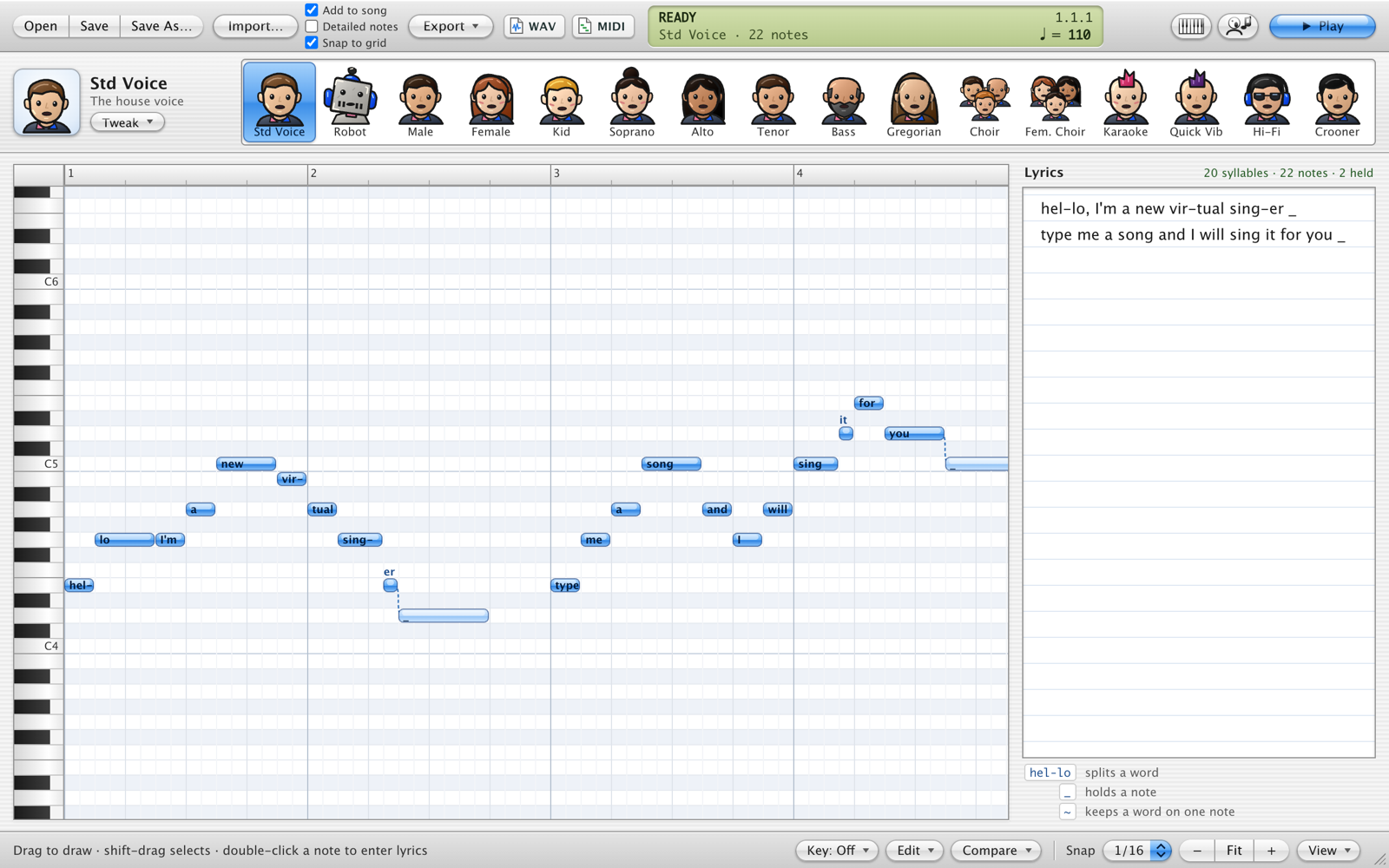
Type some lyrics, draw a melody, and a robot sings it back. Or sing into it, or drag in a vocal from your DAW, and it writes the notes and the words for you.
What it does
- Sings any lyrics on any melody you draw or play.
- Turns singing (a recording, a take into your mic, or a region dragged from Logic) into notes and lyrics.
- Works on its own as an app, or as an instrument in Logic Pro, GarageBand, Ableton Live, Reaper and other AU or VST3 hosts.
- Exports WAV and MIDI.
Installing
- Download and open
Novox-The-Robot-macOS.pkg. - Click through the installer. It puts the app in Applications and the plugins in
/Library/Audio/Plug-Ins. - In Logic, make a Software Instrument track and choose AU Instruments › Song A Day › Novox The Robot. Elsewhere, look for it among your VST3 instruments.
If macOS says it can't check the installer, open System Settings › Privacy & Security, scroll down, and click Open Anyway.
Open source
Novox The Robot is free software under the GNU AGPLv3. Its singing engine is MIT licensed. Read the code, report a bug, or build it yourself on GitHub.